
Download Fiddler Classic – web debugging proxy, free web debugging tool, browser debugging, server request troubleshooting, Fiddler Classic
Overview
Fiddler Classic is a free web debugging proxy designed for developers and IT professionals who need to inspect, monitor, and troubleshoot HTTP(S) traffic between their computer and the internet. As a powerful tool, it enables users to capture, analyze, and manipulate web requests and responses in real time. This makes it especially useful when debugging applications that rely heavily on server communication, such as web apps, APIs, and mobile backends. The tool is particularly effective in identifying performance bottlenecks, authentication failures, or malformed requests that may not be visible through standard browser developer tools.
Targeted primarily at software developers, QA engineers, and system administrators, Fiddler Classic serves as a foundational utility in the development workflow. It allows teams to simulate network conditions, test error scenarios, and validate API behavior under various environments. Its compatibility with any browser, system, or platform—despite being Windows-only—makes it a flexible option for cross-environment debugging. Real-world use cases include diagnosing slow-loading web pages, analyzing API payloads during integration testing, and capturing encrypted HTTPS traffic for security audits.
Developed by Telerik, a well-known name in developer tools and software solutions, Fiddler Classic benefits from a long-standing reputation for reliability and technical depth. The tool has been a staple in the developer community for years, consistently updated to meet evolving web standards. Its continued availability as a free tool reinforces its role as a critical component in modern software development ecosystems, especially for those working in enterprise or complex web environments.
Key Features & Functionality
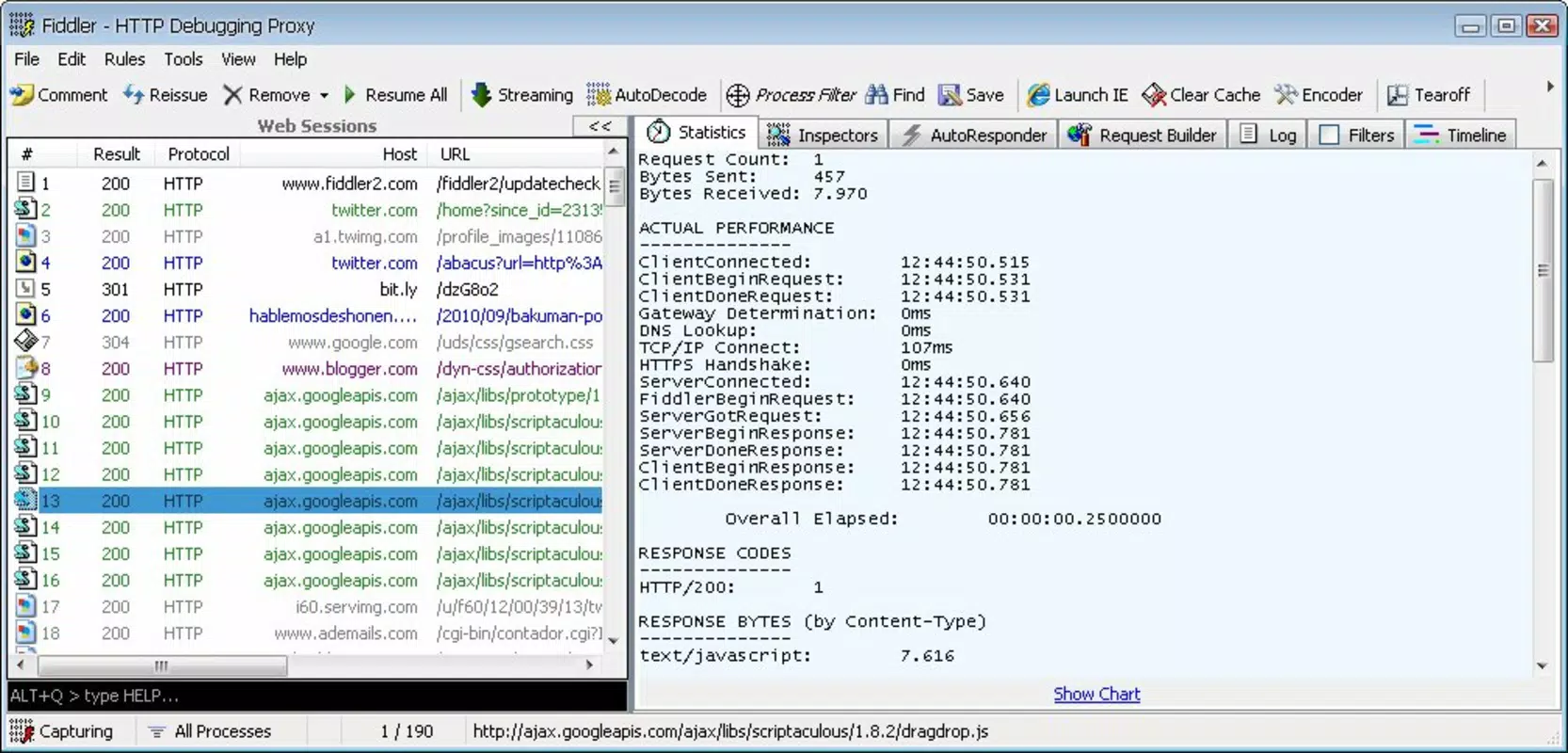
- Real-time HTTP(S) Traffic Capture: Fiddler Classic captures all web traffic from any application on the system, allowing developers to view request headers, response bodies, and timing metrics in a structured interface.
- Request Manipulation: Users can modify requests before they are sent, enabling testing of edge cases such as invalid headers, malformed parameters, or custom authentication tokens.
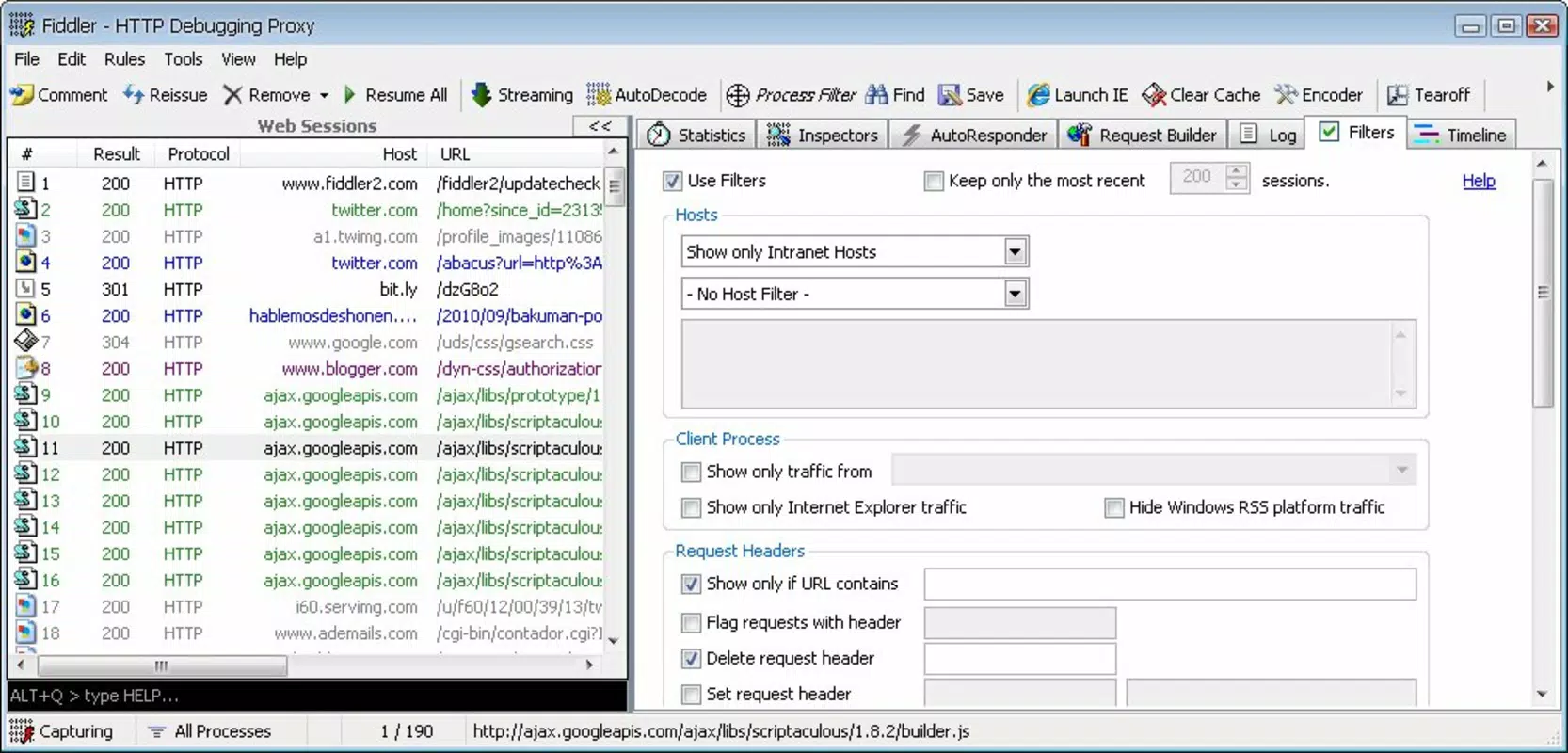
- Session Inspection & Filtering: Advanced filtering options allow users to isolate specific types of traffic—such as AJAX calls, images, or failed requests—making it easier to focus on relevant data.
- HTTPS Decryption: With proper configuration, Fiddler can decrypt HTTPS traffic, providing visibility into encrypted communications for debugging and security analysis.
- Integration with Development Tools: The tool supports integration with popular IDEs and testing frameworks, streamlining the debugging process within existing workflows.
For example, a developer troubleshooting a mobile app’s login failure can use Fiddler Classic to intercept the authentication request, examine the exact payload being sent, and simulate a successful response to verify the client-side handling. Similarly, a QA engineer can use the tool to validate how a web application behaves under high-latency network conditions by throttling connections.
Interface, UX & Performance
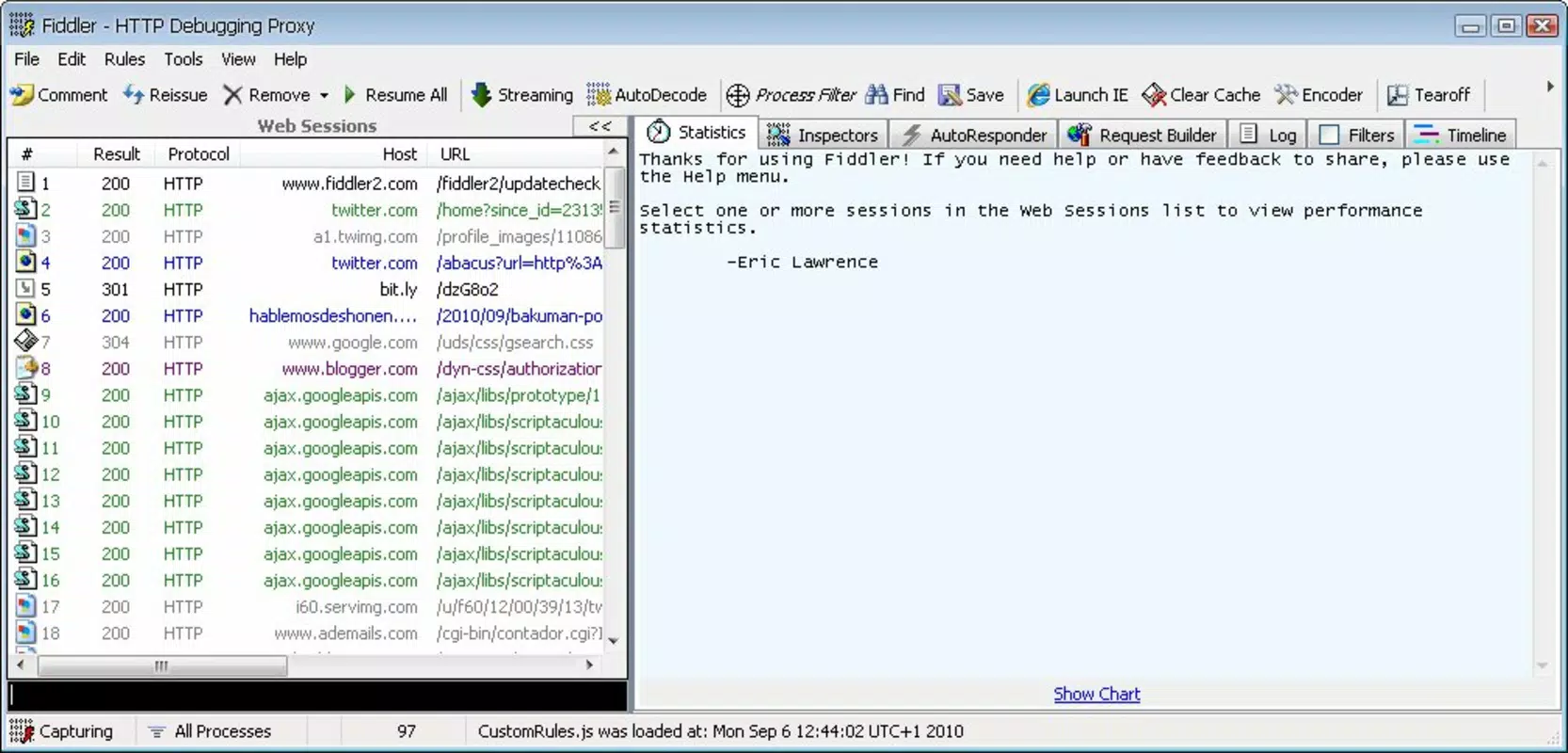
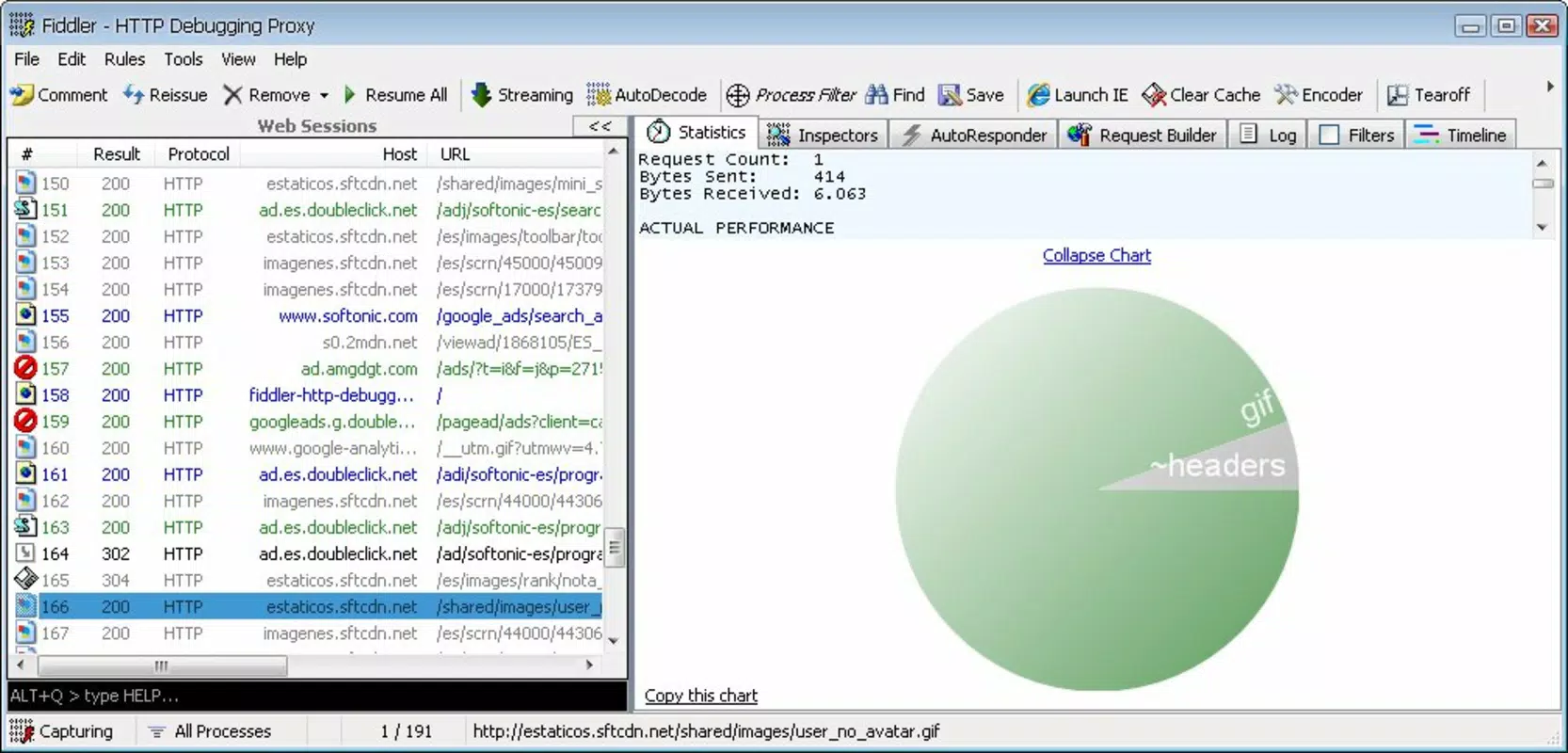
Fiddler Classic features a clean, functional interface optimized for technical users. The main window displays a list of captured sessions with key details such as URL, status code, response time, and size. Navigation is straightforward, with tabs for sessions, statistics, and rules, allowing users to switch between views with minimal friction. The layout prioritizes information density over visual flair, catering to experienced developers who value efficiency over aesthetics.
Although the developer did not list formal performance metrics, the tool is known for low system resource consumption and stable operation during extended debugging sessions. It runs efficiently on modern Windows systems and maintains responsiveness even when handling hundreds of requests per minute. The interface remains fluid during heavy traffic, and the application does not exhibit noticeable lag or crashes under normal usage.
Compatibility with different device categories is not applicable since the app is designed exclusively for Windows. However, its ability to capture traffic from any local application—regardless of platform—makes it a versatile tool in mixed-environment setups. The tool’s stability is consistent across multiple versions, with no reported issues related to data corruption or session loss.
Platform Compatibility & Technical Requirements
Fiddler Classic is designed for Windows operating systems and is available as a standalone executable. The current version is 5.0.20231212.0, with a file size of 13.7 MB, making it lightweight and quick to install. The application runs on modern Windows versions, including Windows 10 and Windows 11, though specific minimum OS requirements were not listed by the developer.
As a desktop application, Fiddler Classic does not require a mobile device or cloud account to function. It operates independently, capturing traffic directly from the local machine’s network stack. The tool does not rely on external services for core functionality, ensuring privacy and offline usability. No additional dependencies or runtime environments are required for basic operation.
Pros and Cons
Pros
- Free to use with no licensing restrictions
- Lightweight at just 13.7 MB
- Supports real-time capture of HTTP(S) traffic from any application
- Offers advanced request manipulation and filtering capabilities
- Decryption of HTTPS traffic with proper setup
- Long-standing reputation and active developer support from Telerik
Cons
- Available only for Windows, limiting cross-platform use
- Requires technical knowledge to configure HTTPS decryption
- Interface may feel outdated to new users unfamiliar with debugging tools
- No official mobile or macOS versions available
- Does not include built-in reporting or export features beyond basic session logging
FAQ
Is Fiddler Classic safe to use?
Yes, Fiddler Classic is a trusted tool developed by Telerik. It does not contain malware or tracking components. However, users should ensure they only enable HTTPS decryption on trusted networks and avoid capturing sensitive data on public systems.
Can I use Fiddler Classic on macOS or Linux?
Currently, Fiddler Classic is only available for Windows. There is no official version for macOS or Linux. Users on other platforms may consider alternative tools such as Charles Proxy or mitmproxy.
Does Fiddler Classic require an internet connection?
Yes, Fiddler Classic requires an active internet connection to capture and analyze web traffic. However, it does not send data to external servers by default, ensuring privacy during local debugging.
How do I enable HTTPS decryption?
HTTPS decryption requires installing Fiddler’s root certificate in the system’s trusted certificate store. This step must be performed manually and is necessary for inspecting encrypted traffic. Users should follow the official setup guide to ensure security and proper configuration.
Is Fiddler Classic updated regularly?
Yes, the tool is maintained by Telerik and receives regular updates. The latest version, 5.0.20231212.0, was released on December 12, 2023, indicating ongoing development and support.
Final Thoughts
Fiddler Classic remains a vital tool in the developer toolkit, offering deep visibility into web traffic with a focus on reliability and functionality. Its ability to capture, inspect, and manipulate HTTP(S) requests makes it indispensable for troubleshooting complex web interactions. While its Windows-only availability may limit its reach, its performance, low footprint, and powerful features make it a top choice for developers working in Windows environments.
Whether you're debugging API issues, testing network resilience, or analyzing security vulnerabilities, Fiddler Classic delivers consistent results. Its free status and long-standing reputation ensure that it remains accessible to both individual developers and enterprise teams.
Download Fiddler Classic now


